

QuickBooks Live vs a Real Bookkeeper: Cost, Pros & Cons (2026)
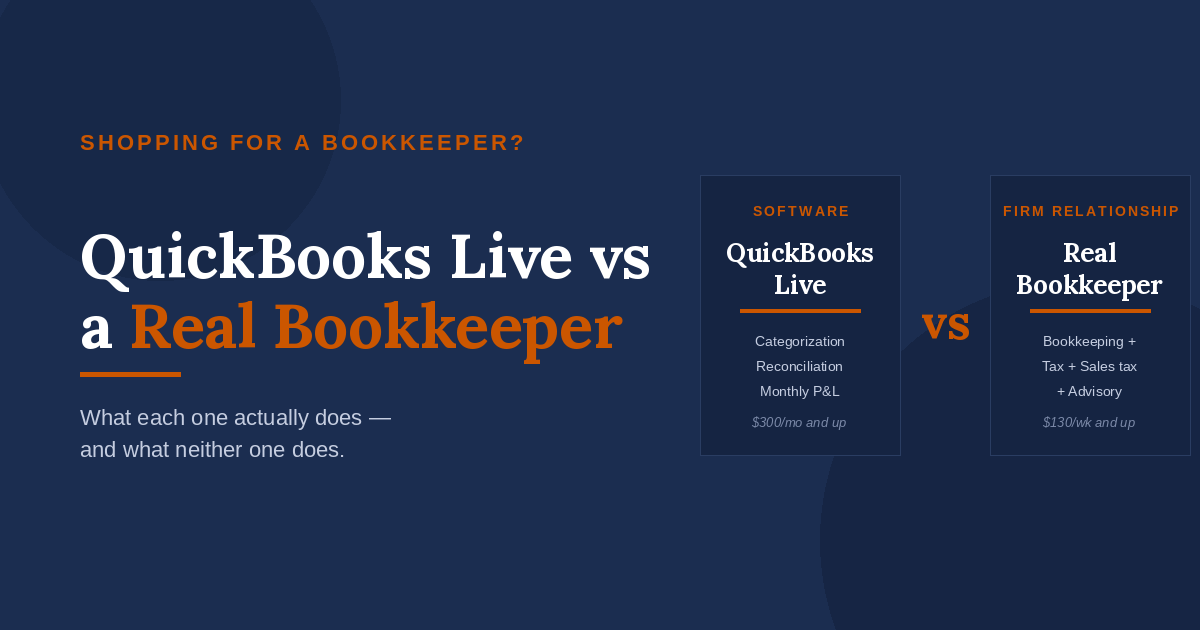
If you’ve ever clicked the “Live Bookkeeping” button inside QuickBooks Online, you’ve seen the pitch: a real bookkeeper, available on demand, for less than what a local firm charges. It looks like a no-brainer.
For some businesses, it is. For most of the small businesses we work with, it isn’t — and the reason has very little to do with QuickBooks Live being bad. It has to do with what bookkeeping actually is.
Most owners think bookkeeping is data entry. It isn’t. Data entry is about 30% of the job. The other 70% is judgment — how to categorize a transaction, when to ask the owner a question, how to flag something that’s going to cause a tax problem nine months from now. That’s the part that decides whether your books are useful or just tidy.
Here’s the honest comparison between QuickBooks Live and a real bookkeeper, what each one costs, and how to figure out which one your business actually needs.
What QuickBooks Live actually is
QuickBooks Live is Intuit’s add-on service for QuickBooks Online subscribers. You pay a monthly fee on top of your QBO subscription and get assigned a bookkeeper (or a small team of them) who handles your monthly categorization and reconciliation inside the software.
What’s included:
- Monthly transaction categorization
- Monthly bank and credit card reconciliation
- A monthly video call with your bookkeeper
- Cleanup of your existing books at onboarding (extra fee)
- Year-end financial reports you can hand to your tax preparer
QuickBooks Live (officially “QuickBooks Live Expert Full-Service Bookkeeping”) starts at $300/month and scales up based on your monthly expenses. Cleanup at onboarding is quoted separately and can run several hundred to a few thousand dollars depending on the mess.
And here’s the part most owners miss until they’re three months in: there’s a long list of things QuickBooks Live explicitly does not do.
Per Intuit’s own service description, QuickBooks Live does not include:
- Sending invoices
- Paying bills
- Managing accounts receivable
- Managing accounts payable
- Managing inventory
- Financial advisory services
- Tax advice
- Filing income tax returns
- Filing sales tax returns
- Creating or sending 1099s
- Managing payroll (sold separately as Expert Full Service Payroll, additional cost)
Read that list again. Sending invoices and paying bills aren’t included. Sales tax filings aren’t included. 1099s aren’t included. Payroll is a separate product. So when QuickBooks Live says “full-service bookkeeping” what they mean is full-service categorization and reconciliation — not the actual day-to-day operating work most small business owners think of when they say “I need a bookkeeper.”
What a real bookkeeper actually does
A real bookkeeper — meaning a person at an accounting firm who knows your business — does everything in the QuickBooks Live list, plus the part that doesn’t fit in a software interface.
The difference shows up in the questions they ask. A real bookkeeper notices that your office supply spending tripled in March and asks why. They notice that you’re paying a contractor $2,500 a month and ask whether you’ve collected a W-9. They notice that your owner draws are running ahead of your profit and tell you before your CPA finds out at tax time.
That’s not data entry. That’s judgment built on knowing your business and being accountable for it.
The other thing a real bookkeeper at a firm gets you is integration. Your bookkeeper, your tax preparer, and your advisor are either the same person or they sit twenty feet apart. Nothing falls between them. With QuickBooks Live, your bookkeeper hands you a report at year-end, and you hand it to a tax preparer who’s never spoken to them. Whatever questions the tax preparer has — and there will be questions — land on you.
QuickBooks Live vs a real bookkeeper: side by side
| Feature | QuickBooks Live | Real bookkeeper at a firm |
|---|---|---|
| Monthly transaction categorization | Yes | Yes |
| Monthly bank reconciliation | Yes | Yes |
| Monthly P&L and balance sheet | Yes | Yes |
| Same person every month | Not guaranteed | Yes |
| Knows your industry | Generic | Yes (if firm specializes) |
| Asks proactive questions | Limited | Yes |
| Income tax return filing | No | Yes (included Core and up) |
| Sales tax filings (IL & WI) | No | Yes (included Core and up) |
| 1099 preparation and filing | No | Yes (included Core and up) |
| Tax planning during the year | No | Yes (Core+ and up) |
| Owner compensation and entity strategy | No | Yes (Core+ and up) |
| Cash flow forecasting and KPI dashboard | No | Yes (CorePro) |
| Payroll processing | No (separate add-on) | Coordinated through Payroll Freedom |
| Year-end coordination with tax preparer | No | Built in |
| Business Audit Protection | No | Standard in CorePro, optional add-on lower tiers |
| Typical cost | $300/month and up | $130/week and up (Core tier) |
The pricing comparison is where most owners stop reading and assume QuickBooks Live wins. Look closer. QuickBooks Live’s $300/month plan covers categorization and reconciliation — that’s it. No invoicing, no bill pay, no AR, no AP, no sales tax, no 1099s, no tax return.
Our Core tier starts at $130/week and includes the bookkeeping, your federal and state business tax return, sales tax filings, and 1099s at year-end. By the time you’ve added up what you’d need to bolt onto QuickBooks Live to match that — a separate tax preparer, a separate sales tax service, payroll as a separate product — the gap closes fast. Often it reverses.
What neither QuickBooks Live nor we do
Honest moment, because this is where most accounting firm marketing gets squishy.
There’s a category of work that QuickBooks Live doesn’t include — and we don’t include it either. Specifically:
- Sending invoices to your customers
- Paying your bills
- Managing accounts receivable (chasing customers who haven’t paid you)
- Managing accounts payable (deciding which vendors get paid when)
- Managing inventory
These are operational tasks, not accounting tasks. They live in the day-to-day running of your business. If you need someone doing them, you need either an in-house bookkeeper, an admin who handles AR/AP, or a different kind of outsourced service that specializes in operational bookkeeping. That’s not us, and it’s not QuickBooks Live.
The reason we mention it: we’ve watched too many owners sign up for QuickBooks Live, then six months later realize nobody’s actually sending invoices on time and AR has stretched to 90 days. They thought “full-service bookkeeping” included this. It doesn’t. It also wouldn’t include it if they signed up with us. We’re telling you so you don’t have to find out the hard way.
If operational work is what you actually need, ask a candidate firm directly: Do you send invoices, pay bills, and manage AR and AP? If they say no — like we do — you need a different solution for that piece, and a firm like ours for the accounting and tax piece.
When QuickBooks Live is actually the right call
We’re not going to pretend QuickBooks Live is the wrong answer for everyone. There’s a real fit for it.
You’re a good candidate for QuickBooks Live if:
- Your business is under $250K in revenue
- You have one or two bank accounts and no credit cards mixing personal and business
- You don’t have employees (so no payroll complexity)
- You don’t sell across state lines (so no multi-state sales tax)
- You’re comfortable handing year-end reports to a separate tax preparer
- You don’t need anyone to flag tax problems for you mid-year — that’s your job
If you’re a freelance designer, a one-person consulting shop, or a side business that’s just starting to look like a real business, QuickBooks Live is fine. It keeps your books clean enough for a tax return, and you’re not paying for advisory services you don’t need yet.
When a real bookkeeper is the right call
You’ve outgrown QuickBooks Live — or you never fit it in the first place — if:
- You’re between $250K and $15M in revenue (the range where most of our clients sit)
- You have employees and run payroll
- You take credit card payments, run multiple revenue streams, or carry inventory
- You file sales tax
- You’ve ever been surprised by a tax bill in April
- You’re making decisions — hiring, equipment, expansion — that hinge on knowing your numbers
- You want one person who knows your business and will pick up the phone
The cleanest test: if a question about your financials comes up and your first instinct is “I’ll figure it out myself,” QuickBooks Live works for you. If your first instinct is “I need to ask someone who actually knows my business,” it doesn’t.
What you’re really paying for
The hardest part of this comparison is that the value of a real bookkeeper is invisible until you need it. QuickBooks Live and a real firm both produce a P&L every month. They both reconcile your accounts. The output looks the same.
The difference shows up in what doesn’t happen. The surprise tax bill that doesn’t arrive because someone caught the problem in Q3. The cleanup project that doesn’t cost $4,000 in March because someone fixed the categorization wrong as it happened. The bad hiring decision that doesn’t happen because someone showed you what your real labor margin looked like.
That’s what you’re paying for. It’s not bookkeeping. It’s the absence of expensive surprises.
How we’d help you figure out which one fits
If you’re not sure where you land, two things will get you most of the way there:
Our pricing calculator gives you an honest weekly fee estimate in about 60 seconds. No email required, no sales call. If the number it gives you is wildly higher than QuickBooks Live’s published pricing, you may genuinely be a QuickBooks Live fit and we’ll tell you that.
Our 7-question package assessment asks the questions that actually matter — revenue, employees, complexity, what’s keeping you up at night — and tells you which of our three tiers fits, or whether none of them do.
Our three tiers, briefly:
- Core ($130/week) — compliance only. Monthly bookkeeping, your business tax return, sales tax, 1099s. Closest to a QuickBooks Live replacement, with the firm relationship attached.
- Core+ ($175/week) — where most of our clients sit. Everything in Core plus proactive tax planning, owner compensation strategy, and an advisor relationship.
- CorePro ($245/week) — for businesses at $10M and up. Everything in Core+ plus cash flow forecasting, a custom KPI dashboard, and an annual performance review.
If you’re a contractor doing $2M, you’re almost certainly a Core+ business. Or you’re a restaurant doing $400K with one location, you might be Core. Maybe you’re a manufacturer at $12M, CorePro is built for you.
The honest summary
QuickBooks Live is good software with a bookkeeper bolted on. A real firm is a bookkeeper with software bolted on. Both produce numbers. Only one of them produces decisions.
If your business is small, simple, and self-managed, the software-first approach is fine. If your business has grown past the point where you can hold all of it in your head, you need the people-first approach. Most owners we talk to in Illinois and Wisconsin cross that line earlier than they realize — usually around the first time a tax bill catches them off guard.
If you’re somewhere in the middle and not sure, run the calculator. Either we’re a fit or we’re not, and either way you’ll know more than you knew this morning.