

Best POS Software for Restaurants in Illinois and Wisconsin (2026)
Choosing the best restaurant POS system is one of the most consequential technology decisions a restaurant owner makes. It touches every table turn, every tip, every inventory count, and every end-of-day report. Pick the wrong one and you’ll feel it every shift — in staff frustration, integration headaches, and a year-end accounting cleanup that costs more than the system itself.
Most POS comparison guides are written by tech reviewers who care about features and interfaces. This one is written by an accounting firm. We work with restaurant owners in Illinois and Wisconsin every month, and the POS questions we hear most often aren’t about interface design — they’re about which systems actually integrate with QuickBooks, which ones make tip reporting and payroll easier, and which ones produce the kind of financial reporting that doesn’t create extra work at tax time.
Here are the best restaurant POS system options for Illinois and Wisconsin restaurant owners in 2026, evaluated from the perspective of someone who has to reconcile the numbers when the shift ends.
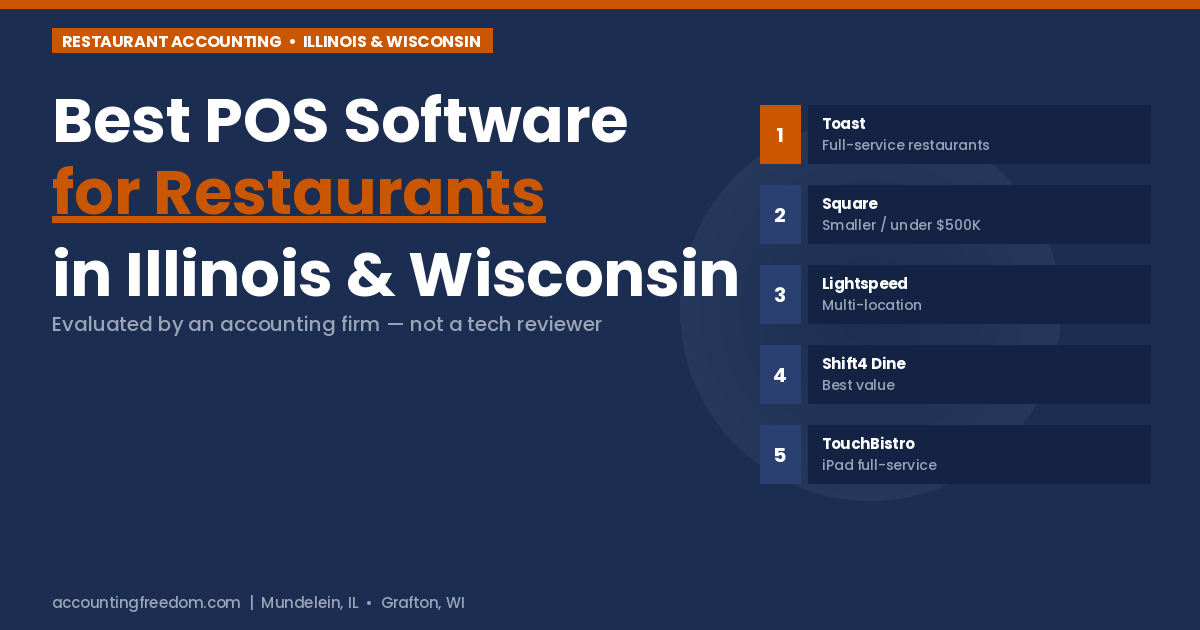
Bottom line up front: The best restaurant POS system for most full-service Illinois and Wisconsin restaurants above $750K in revenue is Toast. Square for Restaurants is the right call for smaller, simpler operations under $500K. Lightspeed is the strongest choice for multi-location operators. Shift4 Dine offers the best value for independent restaurants that want Toast-level features without a long-term contract. From an accounting standpoint, all four integrate with QuickBooks — but the quality of that integration varies significantly, and that detail matters more than most restaurant owners realize when it’s February and their bookkeeper is pulling transaction data.
What an Accountant Looks for in the Best Restaurant POS System
Before diving into the reviews, here’s the lens we apply — because it’s different from what a tech reviewer cares about.
- QuickBooks or Xero integration quality. Does the sync actually work, or does it require manual journal entries to reconcile? A native, automatic integration saves hours per month and eliminates a major source of bookkeeping errors.
- Tip reporting accuracy. Restaurants with tipped employees face specific IRS reporting requirements — FICA tip credits, allocated tips, Form 8027 for larger operations. A POS that handles tip reporting cleanly reduces payroll complexity and audit risk.
- Sales reporting by category. Food sales, beverage sales, alcohol sales, and tax-exempt items should report separately. Blended totals create reconciliation problems and can obscure your actual food cost percentage.
- Payroll integration. Does the system export labor hours and tip data in a format your payroll provider can use directly? Manual rekeying is where errors happen.
- End-of-day close reports. The daily sales summary needs to reconcile cleanly with your bank deposit and your accounting entries. Systems that produce messy or inconsistent end-of-day reports add bookkeeping time every single day.
With that framework in place, here are the top five POS systems for Illinois and Wisconsin restaurant owners in 2026.
1. Toast POS
Best for Full-Service RestaurantsToast is the industry standard for a reason. It was built specifically for restaurants — not adapted from a retail POS — and that shows in how it handles kitchen workflows, table management, modifier logic, and the daily operational reality of a busy dining room. For full-service restaurants above $750K in annual revenue, it’s the most complete option in the market.
✓ Strengths
- Purpose-built for restaurants
- Reliable offline mode
- Strong kitchen display integration
- Broad delivery platform ecosystem (DoorDash, Uber Eats, Grubhub)
- Built-in payroll and team management available
✗ Watch Out For
- Proprietary hardware — can’t switch systems without replacing terminals
- Costs climb with add-ons (loyalty, online ordering, marketing)
- 2-year contract on paid plans
- Not iOS compatible
2. Square for Restaurants
Best for Smaller Restaurants Under $500KSquare is the right choice for smaller, simpler restaurant operations — food trucks, cafes, counter-service spots, and newer restaurants still figuring out their operational model. The free plan is genuinely useful, setup is same-day, and the month-to-month structure means you’re not locked in if your needs change. For a restaurant under $500K in revenue, the cost structure is well-matched to the risk profile.
✓ Strengths
- Free plan with real functionality
- No contract, no lock-in
- Same-day setup, intuitive interface
- iPad-based — use hardware you own
- Strong third-party app marketplace
✗ Watch Out For
- Processing fees accumulate at higher volumes
- Less depth for complex table service operations
- Third-party delivery integrations cost extra
- Customer support quality varies
3. Lightspeed Restaurant
Best for Multi-Location OperationsLightspeed is the strongest option for restaurant groups managing two or more locations who need real financial reporting across their operation. Its multi-location dashboard — real-time inventory depletion by location, recipe-level costing, labor percentage across venues — gives a general manager or owner P&L visibility that most POS systems can’t match. For a single-location casual restaurant, it’s likely more system than you need.
✓ Strengths
- Best-in-class multi-location reporting
- Ingredient-level inventory management
- Tight QuickBooks and Xero integration
- Strong analytics without a separate tool
✗ Watch Out For
- Pricing not transparent — requires a sales call
- Customer service complaints are common in reviews
- Unexpected price increases reported by some users
- Steeper learning curve than Toast or Square
4. Shift4 Dine (formerly SkyTab)
Best Value for Independent RestaurantsShift4 Dine is the value story of the 2026 restaurant POS market. Free hardware, $29.99/month flat, and a feature set that delivers roughly 90% of what Toast offers — including tableside ordering, online ordering, and guest feedback tools — without the 2-year contract or proprietary hardware lock-in. For an independent restaurant that wants full-service features without Toast pricing, this is the most compelling alternative available.
✓ Strengths
- Best price-to-feature ratio in the market
- Free hardware reduces upfront cost significantly
- Strong transaction fee structure
- Full-service features at a fraction of competitors’ cost
✗ Watch Out For
- Processor lock-in — you must use Shift4 payment processing
- Newer platform — less community support than Toast or Square
- Processing fee rates need to be verified in writing before signing
- Brand transition (SkyTab → Shift4 Dine) means some support resources are still updating
5. TouchBistro
Best iPad Option for Full-Service DiningTouchBistro is a restaurant-specific iPad POS that sits between Square’s simplicity and Toast’s depth. It handles table management, split checks, and kitchen communication well, and it’s more affordable than Toast for full-service operators who want restaurant-specific features without proprietary hardware. For Illinois and Wisconsin restaurants in the $500K–$1.5M revenue range running a sit-down dining room on iPads, it’s a strong fit.
✓ Strengths
- Restaurant-specific features on iPad hardware
- Strong table management and floor plan tools
- More affordable than Toast for full-service
- Payment processor flexibility (not locked to one provider)
✗ Watch Out For
- Add-ons (online ordering, reservations, loyalty) increase cost significantly
- Reporting less robust than Lightspeed or Toast
- Customer support quality inconsistent in recent reviews
Best Restaurant POS System Comparison: 2026 Summary
| System | Best For | Starting Price | Contract | QBO Integration |
|---|---|---|---|---|
| Toast | Full-service, $750K+ | $0–$69/mo | 2-year | Daily summary sync |
| Square | Smaller restaurants, under $500K | $0–$60/mo | Month-to-month | Strong, automatic |
| Lightspeed | Multi-location, $3M+ | Custom | Annual | Best-in-class |
| Shift4 Dine | Best value, independent | $29.99/mo | Processor lock-in | Developing |
| TouchBistro | Full-service iPad, $500K–$1.5M | $69/mo | Annual | Via third-party |
The One Thing Most Restaurants Get Wrong When Choosing the Best Restaurant POS System
Most restaurant owners evaluate the best restaurant POS system based on interface, features, and upfront cost. Those things matter. But the cost that surprises people most is the one that shows up six months later — in bookkeeping hours, reconciliation errors, and year-end accounting cleanup from a system that doesn’t integrate cleanly with their books.
Before committing to any POS system, ask your accounting firm two questions: does this system integrate directly with QuickBooks or your accounting software, and what does the daily sales import actually look like? If your accountant can answer both clearly, you’re in good shape. If neither of you knows, that’s worth finding out before you sign a 2-year contract.
If you’re a restaurant owner in Illinois or Wisconsin looking for accounting support that understands how your POS system fits into your monthly financials and year-end tax picture, that’s exactly what we do. Learn more about our accounting services for restaurants at our restaurant accounting page, or use our pricing calculator to see what a monthly engagement would cost.
Want to make sure your POS system is set up to feed your books correctly?
That’s a 30-minute conversation. Free consultation — we’ll look at your current setup and tell you exactly what we’d change.
Schedule a Free Consultation See Our PricingDisclaimer: Pricing and features for POS systems referenced in this article are based on publicly available information as of June 2026 and are subject to change. Verify current pricing directly with each provider before making a purchasing decision. This article is provided for general informational purposes only and does not constitute tax, legal, accounting, or financial advice. Reach out to Accounting Freedom for guidance specific to your situation.
About the Author
Frank Fiore, CPA — President & Visionary, Accounting Freedom
Frank Fiore has spent 20+ years working with restaurants, hospitality businesses, and food service operators in Illinois and Wisconsin. His team works with restaurant owners every month on bookkeeping, tax planning, and payroll — and sees firsthand which POS systems make that work easier and which ones create extra friction at year-end. Accounting Freedom serves clients from offices in Mundelein, IL and Grafton, WI.